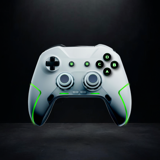
Game Remote Play Controller
Methods Studio
- Rating
- 4.5
- Installs
- 500M+
- Age
- 4+
- Updated
- 2025.10.13


About Game Remote Play Controller
Transform your phone or tablet into a versatile control center for your game console with the Game Remote Play Controller. Stream games remotely from your console and cast media like videos, images, and music to the big screen, offering limitless entertainment while eliminating space restrictions and battery concerns.
Highlights
- 01Remote Console Control
Operate your compatible game console using your mobile device, enabling seamless game play without needing a physical controller.
- 02Virtual Gamepad
Transform your phone or tablet into a customizable game controller, allowing you to play your favorite console games conveniently on the go.
- 03Gameplay Streaming
Stream games directly from your console to your mobile device with low latency, giving you the freedom to play games from anywhere in your home.
- 04Media Casting
Easily cast videos, images, and music stored on your mobile device to your TV using your compatible game console, enhancing your home entertainment experience.
- 05Broad Compatibility
Designed to work with popular game consoles that support remote access and streaming over the local network, ensuring a wide range of device compatibility.
Pros & cons
What we like
- Flexible Gaming ExperienceThe ability to play console games remotely from your mobile device offers unparalleled flexibility and convenience, eliminating the need for a designated gaming space.
- User-Friendly InterfaceThe intuitive setup process and controls provide an easy way for users to connect their device quickly and start gaming or streaming media with minimal hassle.
- High-Quality StreamingEnjoy low latency gameplay streaming, allowing for a smooth gaming experience that rivals traditional console play.
- Media Sharing FunctionalityCast your cherished media directly to the big screen, making it easy to share moments with family and friends.
- No Battery WorriesEliminates the need for traditional gaming controllers that require batteries, as the app utilizes your mobile device instead.
Watch out for
- Dependence on Console CompatibilityFunctionality can vary depending on the game console's support for remote play and media casting, limiting usability for some devices.
- Wi-Fi DependencyRequires a stable Wi-Fi connection for optimal performance in both gameplay streaming and media casting, which may be an issue in weaker network conditions.
- Potential Setup ComplexityInitial setup may be complex for users unfamiliar with network settings, potentially causing frustration for some users.
Pricing
- Free VersionThe application is available for free, allowing users to access basic remote control and media casting features without any cost.
- Premium FeaturesFuture subscription options may provide advanced functionalities and additional features, enhancing the overall user experience.